
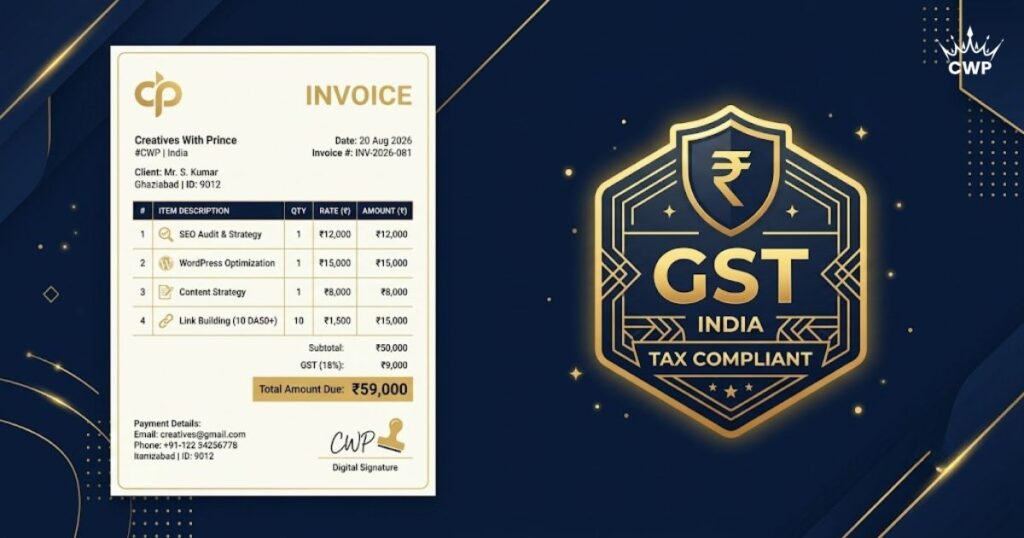
As a freelancer, getting paid on time starts with a clear, professional invoice, and if you are registered for GST, that invoice must follow a specific format. Get the GST invoice format for freelancers wrong and you risk payment delays or compliance issues. This guide covers every mandatory field, with an example you can copy.
In short: A valid GST invoice needs your GSTIN, a unique invoice number and date, the client’s details, a service description with SAC code, the taxable value, the GST split (CGST+SGST for same-state, IGST for inter-state), and the total. You can generate one free in minutes with our Invoice Generator.
Do you even need GST as a freelancer?
Not every freelancer must charge GST. You are required to register if your annual turnover exceeds ₹20 lakh (₹10 lakh in some special-category states), if you provide services to clients in other states, or if you supply through certain e-commerce/aggregator platforms. Below these thresholds, a simple non-GST invoice is enough. If you are registered, though, every invoice must be GST-compliant.
Mandatory fields in a GST invoice
A compliant GST invoice for a freelancer must contain:
- Your details: name, address and GSTIN.
- Invoice number: a unique, sequential number.
- Invoice date.
- Client details: name, address and GSTIN (if registered).
- Place of supply (the client’s state).
- Description of services with the SAC code.
- Taxable value (amount before tax).
- GST rate and amount. CGST + SGST for same-state, or IGST for inter-state.
- Total amount in figures (and words is good practice).
- Your signature or digital signature.
CGST + SGST vs IGST: which applies?
This depends on where your client is located. If your client is in the same state as you, split the GST into CGST and SGST (e.g. 9% + 9% for an 18% rate). If your client is in a different state, charge a single IGST (e.g. 18%). Most freelance services fall under the 18% GST slab. Getting this split right is the most common area freelancers slip up on.
Create a clean, GST-ready invoice in minutes, free Invoice Generator, instant PDF.
Make My Invoice →A simple GST invoice example
Imagine a Delhi-based freelancer billing a Delhi client ₹50,000 for web design (SAC 998314, 18% GST):
- Taxable value: ₹50,000
- CGST (9%): ₹4,500
- SGST (9%): ₹4,500
- Total: ₹59,000
If the same client were in Mumbai (different state), you would instead charge IGST (18%) = ₹9,000, for the same ₹59,000 total. The tax amount is the same; only the split changes.
SAC codes every freelancer should know
SAC (Services Accounting Code) tells GST what service you provided. A few common ones:
| SAC | Service |
|---|---|
| 998314 | IT design & development |
| 998313 | IT consulting & support |
| 998361 | Advertising services |
| 999293 | Other education & training |
| 998311 | Management consulting |
Pick the code that best matches your work; if unsure, 9983 (other professional/technical services) is a safe general category.
Common freelancer invoice mistakes
- Non-sequential invoice numbers. GST requires a unique, continuous series.
- Missing SAC code or place of supply.
- Wrong tax split (CGST/SGST vs IGST) for the client’s state.
- No due date or payment terms, not mandatory, but they get you paid faster.
How to make a GST invoice for free
You do not need paid software or a chartered accountant for a basic invoice. Our free tool lets you enter your details, add line items, apply CGST/SGST or IGST, and download a professional PDF instantly. It handles the format so you can focus on the work, and look polished doing it.
Tax invoice vs proforma vs bill of supply
Freelancers often mix these up. A tax invoice is the formal GST document you issue after providing a service, it lets the client claim input tax credit. A proforma invoice is a quotation-style document sent before work, showing estimated charges; it is not a legal tax document. A bill of supply is issued when GST is not charged (e.g. you are under the threshold or supply exempt services). Use the right one for the situation, and never call a quote a tax invoice.
Invoicing tips to get paid faster
- Add clear payment terms (e.g. “due within 15 days”) and your bank/UPI details.
- Send it promptly, invoice the moment work is delivered, not weeks later.
- Number and track every invoice so you can follow up on unpaid ones.
- Keep it professional, a clean, branded PDF gets taken more seriously than a plain text email.
- Save copies for your records and GST filing.
Conclusion
A correct GST invoice protects you, speeds up payment, and keeps you compliant. Include every mandatory field, apply the right tax split for your client’s state, add the correct SAC code, and keep your numbering sequential. Generate one in minutes with a free tool, and never let a formatting slip delay your payment again. As your freelance business grows, well-organised, compliant invoicing also makes tax filing far easier at year-end, so getting the habit right now saves you real time and stress later. Treat every invoice as a small piece of your professional brand, and clients will take you (and your payment terms) more seriously.
Frequently Asked Questions (FAQ)
Do freelancers in India need to charge GST?
Only if your annual turnover crosses the GST threshold (₹20 lakh for most services, ₹10 lakh in special-category states) or you supply services across states or through certain platforms. Below that, you can raise a simple invoice without GST.
What is the mandatory format of a GST invoice?
A GST invoice must include your name and GSTIN, a unique invoice number and date, the client’s details and GSTIN, a description of services with SAC code, the taxable value, the GST rate and amount (CGST+SGST or IGST), and the total.
What is the SAC code for freelancers?
SAC (Services Accounting Code) identifies your service for GST. For example, 9983 covers other professional/technical services and 998314 covers IT design and development. Use the code that best matches your work.
How can I make a GST invoice for free?
Use our free Invoice Generator, fill in your details, add line items and GST, and download a clean, professional PDF invoice in minutes.